
Independent frames, not duplicates
One action requests separate model outputs. The contact cells hold distinct image URLs rather than repeating a single result in multiple boxes.
THE OPEN CONTACT SHEET
Create a profile picture for any platform, not one preset service. Each sheet keeps the face or character readable inside a small circular crop.
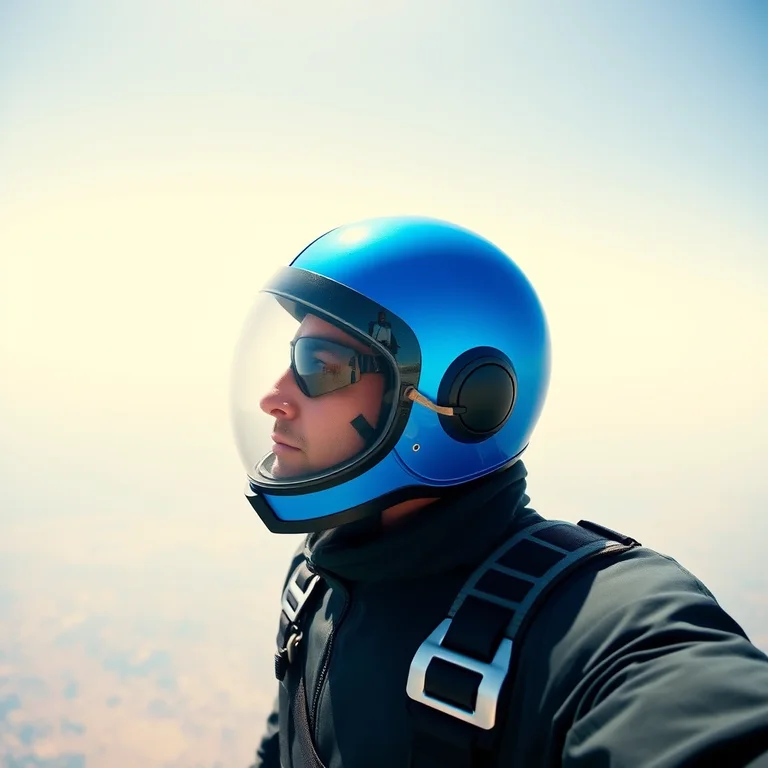
profile picture of a fictional skydiver in a cobalt flight helmet, clean horizon, face centered for a circular crop
One action requests separate model outputs. The contact cells hold distinct image URLs rather than repeating a single result in multiple boxes.
Click any contact cell to promote it to the large view. Download and follow-up actions always apply to the frame you selected.
Square, portrait, widescreen, and phone-vertical formats are available. Focused pages add crop or sequence constraints for their intended use.
Finished sample sheets appear on first paint with the producing prompts printed beside them. Loading the page itself never spends an inference request.
There is no profile, saved cloud gallery, trial, or payment form. Download the frame you want before the temporary output link expires.
Each contact sheet counts as one generation against the per-IP hourly limit, regardless of its configured number of image variations.
Describe yourself in general terms or invent a character. Do not request a celebrity, public figure, or another person's likeness.
One hat, tool, animal feature, or garment detail is usually enough for a distinctive thumbnail.
Select each frame and imagine the corners removed. Keep eyes, hair, ears, and the key prop away from the crop boundary.
Download the strongest variation and view it around 48 pixels wide before using it across accounts.
A profile picture has one unusually strict job: remain recognizable when it is tiny, surrounded by interface chrome, and often clipped into a circle. This PFP maker therefore frames an original fictional subject from the head and shoulders, centers the face, and asks for a simple background. You can describe a general self-portrait concept or invent a persona, but the tool is not for copying celebrities, public figures, or another real person’s identity. A useful brief names the role, one distinctive prop, and one background cue rather than reciting a full biography.
Try “a fictional skydiver wearing a cobalt flight helmet, clean horizon,” “an original fox archivist with tiny spectacles, warm library blur,” or “a ceramicist in a clay-stained apron beside one blue vase.” The important noun should appear early. Avoid multiple hands, crowds, signs, tiny jewelry, and elaborate scenery because they compete with the face after reduction. If the character has tall ears, a large hairstyle, or a wide hat, mention that it must remain inside the circular safe area.
The contact sheet is valuable because face framing varies even under one prompt. Promote every cell and compare eye clarity, expression, asymmetry, crop margin, and the relationship between subject and background. Do not judge only at the large view. Reduce the selected frame to roughly 48 pixels wide or place it in a mock account screen. A portrait that looks detailed at full size may turn into an indistinct patch when the platform displays it beside a comment. Favor one strong color contrast and a silhouette with clear negative space.
This page is intentionally cross-platform. It does not add Discord-specific dimensions, logos, or community styling; another site in the portfolio covers that narrower destination. Here the goal is a portable avatar concept that can survive circular or square crops across forums, social profiles, game accounts, and internal tools. Review each platform’s current image rules yourself, and remember that generated output may need ordinary cropping, color correction, or background cleanup before use.
Move from one compact identity frame to a sequential story or a vertical phone canvas.
Turn one compact story beat into a three-panel visual sequence. Compare independent sheets for clearer staging, readable gutters, and a stronger final beat.
Create a tall phone image with quiet space around the clock and icon areas. Compare independent vertical frames before choosing the one that survives the interface.
No. It creates a general circle-safe profile image. Check and crop to the current size rules of the platform where you will upload it.
No. Requests for public-figure likenesses or deceptive identity copies are outside the tool's intended use. Describe an original fictional character instead.
Profile pictures are displayed very small. A quiet background preserves face contrast and stops secondary objects from becoming visual noise.
The sheet size is environment-configurable from one to four images. The launch default is two independent variations.
No. Three contact-sheet generations per IP address are available each hour without an account or watermark.